|
Subversion - Update Repository
2011/06/04 |
|
This is the how to for updating repository.
|
|
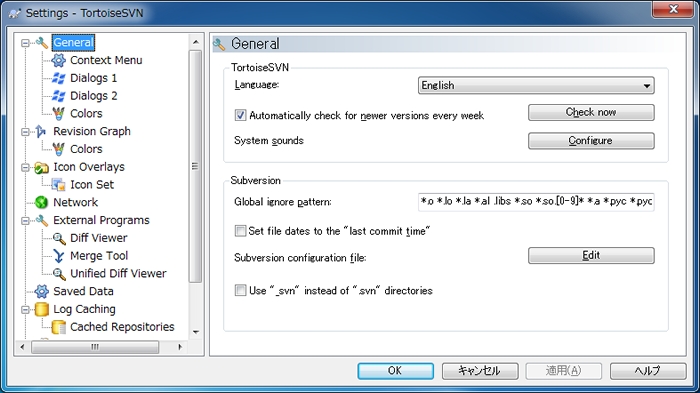
| [1] | Configure for automatic properties first. Click "Setting". |

|
| [2] | Click "Edit" button. |
|
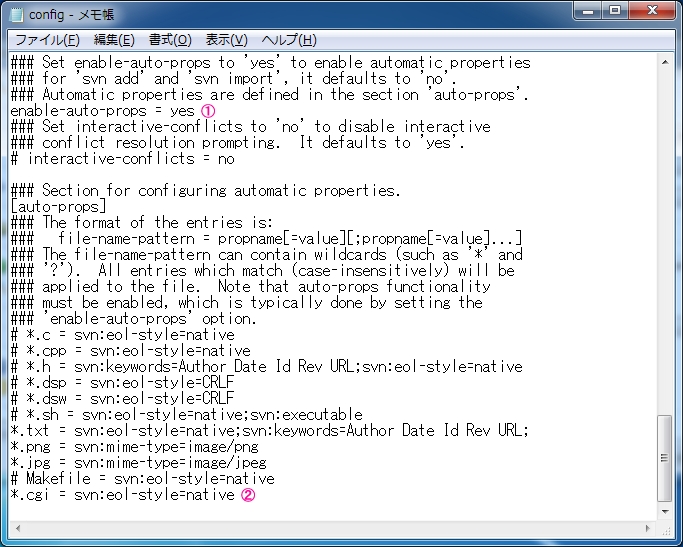
| [3] | Scroll down to lower of the file, then uncomment the line (1), next, add extensions for automatic properties. |
|
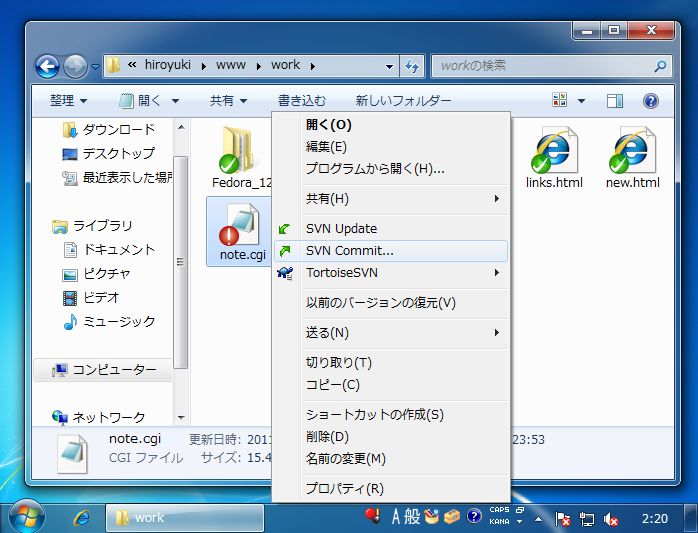
| [4] | Move to working directory and try to update files. Then, the color of icon edited just turns like follows. |

|
| [5] | Click the file edited with right button and select "SVN Commit" to update repository from this updating. |
|
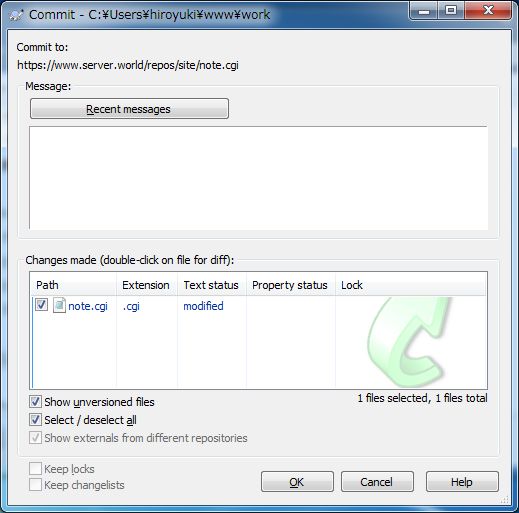
| [6] | Updating files are listed like follows. Check boxes for files you'd like to update in repository. |
|
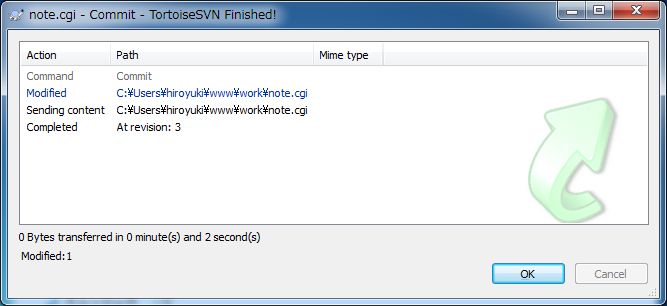
| [7] | Repository is just updated. |
|
| [8] | These are how to update repository. |

|